
AI Automation for Small Business (2026): 12 Workflows + a 30-Day Pilot Plan
- Sam Weinstein
- Apr 13
- 7 min read

You don’t have an “AI problem.” You have a time and attention problem.
If you run a US small business with 5–50 employees, your day gets swallowed by customer emails, quotes, follow-ups, invoices, and internal questions.
AI automation for small business is how you get that time back—without hiring ahead of revenue.

The Hidden Cost of Doing Nothing (Revenue, Payroll Stress, Cash Flow)
When routine work stays manual, you pay for it three ways: lost revenue, higher payroll stress, and slower decisions.
A lead that waits a day for a reply often chooses a competitor. A support inbox that grows “silently” turns into overtime, burnout, and churn. Late collections and invoice disputes quietly extend days sales outstanding (DSO) and force you to operate with less cash.
The real risk isn’t that you don’t use the latest tools. The real risk is that competitors build faster systems—and customers get used to that speed.
What AI Automation for Small Business Actually Means (Simple Definition)
AI automation for small business means using AI to reduce or eliminate repetitive steps in day-to-day workflows—so work moves forward with fewer handoffs, less typing, and fewer missed follow-ups.
Copilots help a person work faster (drafts, summaries, suggestions).
Agents and workflows handle steps for you (triage, routing, record creation, reminders)—usually with approvals.
In 2026, the shift is from “AI helps a person” to “AI does the work.” That’s where the ROI gets real—and where guardrails become non-negotiable.
The “Copilot → Agent” Roadmap (The Lowest-Risk Way to Start)
The most reliable path isn’t buying a dozen tools. It’s choosing one workflow, in one channel, with one metric—then proving value before you scale.
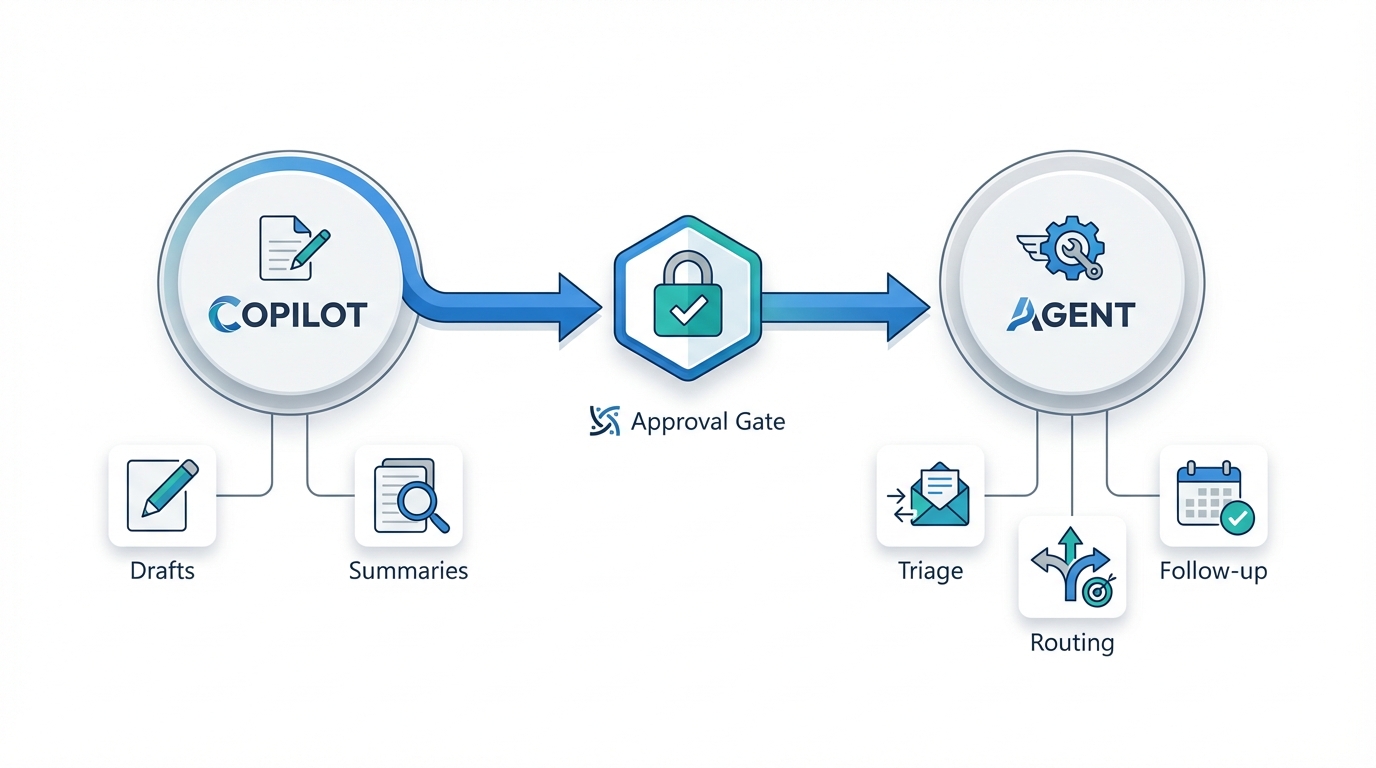
Weeks 1–2: Standardize With Copilots
Focus on drafts, summaries, and action lists. You’ll see quick gains when your team agrees on templates and “what good looks like.”
Weeks 3–6: Add Workflow Automation With Approvals
Automate repeatable steps like classification, routing, follow-up, and exception handling. Keep a human approval step anywhere money, brand risk, or customer promises are involved.
What Results Are Realistic?
Many teams save 30–90 minutes per knowledge worker per week just by standardizing communication. For workflow automation, target 10–30% faster cycle time in one process within 30–60 days if you keep scope tight and track a few KPIs.
If you want help picking a first pilot that fits your current tools, start here: AI Automation Services for SMBs.
12 Practical AI Automation Examples for Small Business (Quick Wins First)
The best AI automation examples for small business share three traits: high-volume work, repeatable steps, and a measurable outcome (time saved, faster response, faster payment). Below are 12 workflows you can pilot without turning your operation upside down.
1) Customer Support: Triage + Response Drafting
Quick win (3–7 days): summarize long threads, draft replies in your brand tone, and suggest next steps.
Next step (2–4 weeks): classify and route messages automatically, pre-fill ticket fields, and flag escalations before a human hits send.
Time to first response
Time to resolution
Escalation rate
If your support inbox is growing, consider a dedicated pilot around triage and routing: AI for customer support triage.
2) Sales: Speed-to-Lead + Follow-Up Automation
If you respond faster, you win more deals.
Quick win (1 week): meeting recap → follow-up email draft → next-step tasks.
Next step (2–4 weeks): an approval-based follow-up workflow that updates your CRM and nudges prospects automatically.
Response time to inbound leads
Qualified meetings booked per week
Proposal turnaround time
If leads go cold before you reply, start with a speed-to-lead pilot: AI for speed-to-lead follow-up.
3) Finance: Collections Reminders + Invoice Exception Handling
Cash flow ROI is often the fastest.
Quick win (3–5 days): polite reminder templates plus an account-history summary so messages stay consistent.
Next step (2–4 weeks): categorize disputes (pricing mismatch, missing PO, missing docs), request what’s needed, and route exceptions to the right person.
DSO trend
Touches per payment
Exception cycle time
If you want to reduce DSO without becoming a collections robot, build your pilot around exceptions: AI for collections and invoice exceptions.
4) Marketing: Landing Page + Email Drafting (Only If You Measure It)
AI can help you publish faster, but speed without measurement becomes noise.
Quick win (1 week): draft email campaigns, landing page variants, and simple FAQs from your existing offers.
Next step (3–6 weeks): a disciplined experimentation loop with A/B testing, clear lead definitions, and consistent follow-up.
Conversion rate by channel
Cost per lead
Lead-to-meeting rate
5) Internal Ops: HR/IT Self-Service Knowledge Assistant
Small teams lose hours to “quick questions.” Quick win (1–2 weeks): build a simple “ask our SOPs/policies” assistant based on cleaned-up documents. Next step (3–6 weeks): request initiation with approvals (PTO, equipment, access) so managers aren’t the bottleneck.
Time-to-answer internal questions
Onboarding time
Interruptions per week
6) Proposal Drafting From a Standard Scope Template
Generate a first draft using your approved scope, pricing rules, and common terms. Guardrail: a human must review before sending. Track: time from discovery call to draft proposal.
7) Meeting Notes → Action Items → Assigned Tasks
Quick win (2–5 days): turn calls into action items with owners and due dates. Next step (2–3 weeks): auto-create tasks in your task tool and send a same-day recap for approval.
Track: tasks created per meeting and on-time completion rate.
8) Vendor Onboarding Checklist Automation
Collect W-9/insurance/banking details, store them in the right folder, and route approvals. Track: days to onboard a vendor and missing-document rate.
9) Purchase Requests With Policy Thresholds
Intake form → categorize → enforce approval thresholds → route to the right approver. Track: cycle time to approval and policy exceptions.
10) Hiring Support: Job Posting Drafts + Candidate Screening Summaries
Draft job descriptions and summarize resumes against a role scorecard. Guardrail: no auto-reject decisions without human review. Track: time to shortlist and screening hours saved.
11) Product/Inventory Questions Grounded in Approved Docs
Draft responses using your approved product sheets, pricing, and policies. Guardrail: escalate when information is missing or out of date. Track: time-to-answer and accuracy corrections.
12) Weekly Owner KPI Summary (Support, Pipeline, AR)
A weekly digest that highlights trends, anomalies, and next actions. Track: time spent compiling reports and decision turnaround time.
A Simple 30-Day Implementation Plan You Can Actually Run
Most AI projects fail because they start too big, measure nothing, and then the team stops using them. Use this plan to get a measurable result without overwhelming your staff.
Pick one workflow with volume and a clear unit of value (ticket resolved, lead contacted, invoice exception cleared).
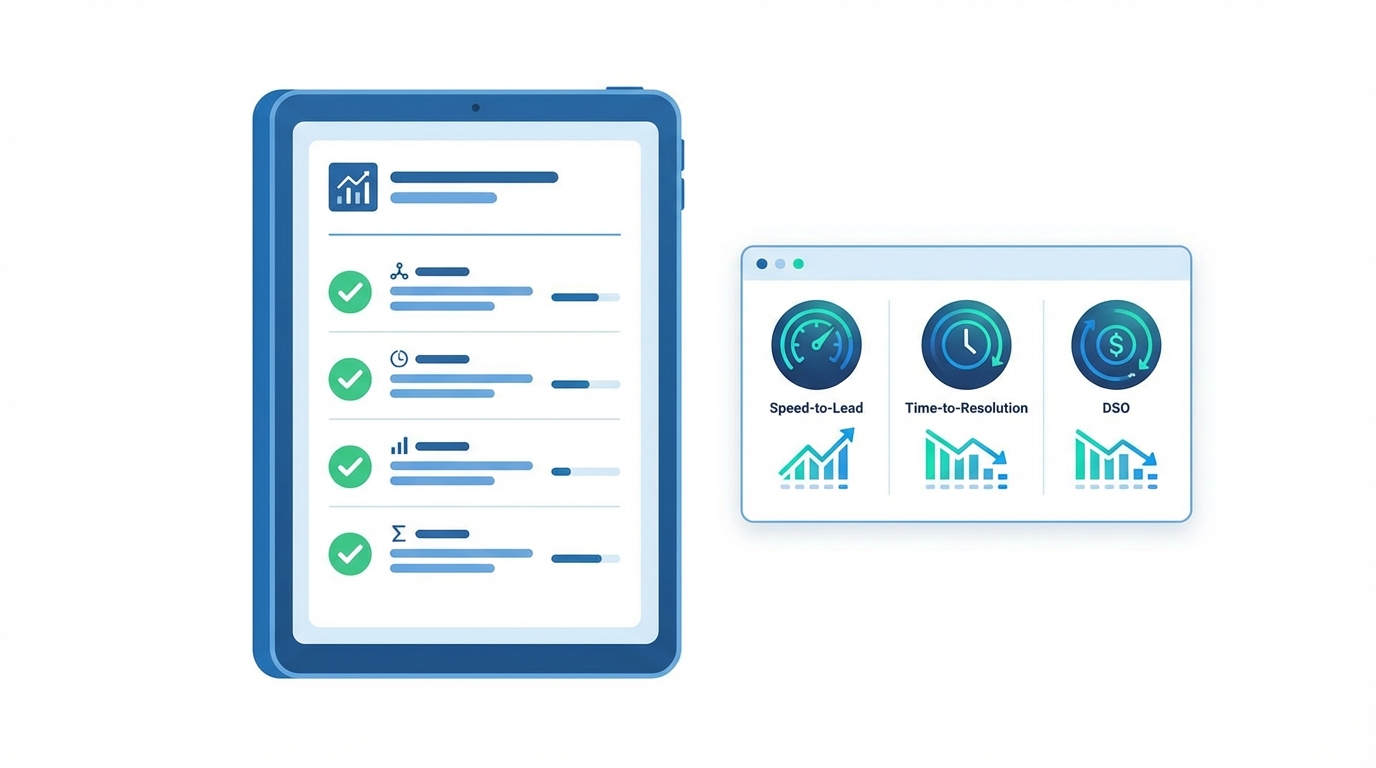
Set a baseline (current response time, resolution time, DSO, or proposal turnaround).
Start internal-first (drafts and recommendations) before letting anything send customer-facing messages.
Add guardrails: approval gates, escalation rules, and limits that prevent loops.
Review weekly and decide: scale it, refine it, or stop it.
Treat AI automation like any operating expense: measure cost per outcome, not “hours of AI usage.”
Costs, Tools, and Timeframes (Without the Tech Overwhelm)
You don’t need the perfect stack. You need tools that fit your existing environment, plus a plan to prevent rework and surprise costs.
If You’re Already on Microsoft 365
Microsoft 365 Copilot is often a strong starting point for drafting, summarizing, and turning meetings into tasks. Budget range: ~$25–$35 per user/month plus a qualifying Microsoft 365 plan.
For agentic workflows, Copilot Studio can power intake and routing agents. Costs can become usage-based, so you’ll want caps and monitoring from day one.
If you’re building in Microsoft, you may also want this playbook: Copilot Studio governance and cost control.
If You’re Already on Google Workspace
Google Workspace Gemini can deliver quick wins in Gmail/Docs/Meet for summarizing, drafting, and turning meetings into action items. Pricing varies by edition; check your admin console.
If your team runs on Google, start with: Google Workspace Gemini setup and training.
The “Don’t Buy Twice” Checklist
Are you paying for both Microsoft and Google AI features for the same people?
Do you have one source of truth for pricing, policies, and templates?
Is there a clear owner for workflows and approvals?
Cost, Risk, and Guardrails (Where SMBs Get Burned)
Most AI disappointment isn’t that the AI didn’t work. The business didn’t set boundaries.
The Most Common Pitfalls
Messy inputs: CRM fields, ticket categories, and pricing docs aren’t clean, so outputs become inconsistent.
No templates: everyone writes differently, so quality varies and rework increases.
No escalation path: edge cases pile up and confidence drops.
Human-in-the-Loop: What Should Always Be Approved
Refunds, discounts, credits, or policy exceptions
Contract language and legal commitments
Sensitive HR decisions or employee issues
Anything involving medical, tax, or regulatory advice
Usage-Based Cost Controls (Especially for Agents)
When you move from copilots (predictable, per-seat) to agents (variable, usage-based), costs can spike. Protect yourself with:
Rate limits and throttles
Maximum turns and timeouts
Fallback rules (ask clarifying questions or escalate)
A simple incident playbook (who disables what, and when)
If security and permissions are a concern, keep it simple and documented: Security, permissions, and human-in-the-loop policy.
Action Steps You Can Take This Week (60–90 Minutes Total)
If you want AI automation to work, start by tightening the basics. Here’s a short plan most owners can complete in one sitting:
Choose your first pilot workflow (support triage, speed-to-lead follow-up, or collections exceptions).
Write the definition of done in one paragraph (what “good” looks like, and what “wrong” looks like).
Create three approved templates your team can reuse (follow-up, support resolution, collections reminder).
Pick 1–3 KPIs and log your baseline for seven days (a spreadsheet is fine).
Set a rule for customer-facing messages: AI drafts are allowed; sending requires human review until stable.
Schedule a 15-minute weekly review to track outcomes and edge cases.
FAQ
What’s the best AI automation for a small business to start with?
Start with the workflow that has clear volume and clear dollars attached. For most businesses, that’s support triage, speed-to-lead follow-up, or collections exceptions.
How much does AI automation cost for a small business?
Expect two cost types: per-user AI features (predictable monthly cost for copilots) and usage-based automation (variable cost for agents/workflows). Set a monthly cap and track cost per outcome.
Will AI replace my staff?
In most SMBs, the first win is not replacing people. It’s removing low-value typing, routing, and follow-up work so your team can handle more volume with less stress.
How do I keep AI from sending the wrong message to customers?
Start with draft-only for customer-facing messages. Require approvals for money, contracts, and policy exceptions. Use approved templates and one source of truth for policies and pricing.
Your Next Move (Pick One Pilot and Measure It)
If you want momentum, don’t start by asking “What can AI do?” Start by asking “Which workflow costs me the most time or cash every week—and how do I measure improvement?”
Book a 20-minute planning call here: AI Automation Pilot Planning Call.
Comments